

Tekken 3 Online: Play Free on PC, Mobile & Browser in 2026
It’s 2026, and people are still searching for Tekken 3 online, and that says everything about this game. Released by Namco in 1997, Tekken 3 wasn’t just another fighting game it was a cultural moment that redefined what a fighting game could be, and nearly three decades later, it still has not been forgotten. Jin Kazama, Eddy Gordo, Hwoarang, King are an iconic roster in Tekken 3 in fighting game history so balanced it still holds up favorite for every action game lover.
In an era of hundred-dollar titles and battle passes, millions still seek out this classic every month. The good news? In 2026, playing Tekken 3 free online is easier than ever: on any browser, emulator, Android, or PS Plus. This guide covers every method in detail so, you can find the best way to play in 2026 regardless of your device.
What Is Tekken 3 Online? (Browser, Emulator and Netplay Explained)
Tekken 3 was never designed for the internet. It shipped in 1997 as an arcade cabinet, landed on PlayStation 1 in 1998, and was built entirely around two players sitting in the same room. So when people search for Tekken 3 new online opportunity in 2026, what they are actually looking for is something the original game could not offer and what modern emulation has quietly made possible.
Today you can play Tekken 3 online in two main ways. For Android users specifically, our dedicated Tekken 3 APK guide walks through the fastest setup on mobile. Browser-based emulators let you launch the game directly from a webpage without installing anything, useful for a quick session, though performance varies by platform.
The more serious option is a PlayStation emulator like DuckStation, which supports Netplay, actual online multiplayer with rollback netcode that keeps lag manageable even across long distances.
Neither method requires you to own a PlayStation console. What they do require is choosing a platform you can trust, because not every site offering Tekken 3 for online play delivers the same experience, and some deliver malware instead of gameplay.
How to Play Tekken 3 Online in 2026 (Every Method Explained)
Browser: Instant, No Download
The fastest method. Retro gaming websites host Tekken 3 via WebAssembly emulation, no account or download required. open the site, click Play, and you’re fighting within seconds. Works on Chrome, Firefox, and Edge. A USB gamepad improves the experience significantly.
DuckStation Emulator (PC/Mac)
The gold standard in 2026. DuckStation is a free, open-source PS1 emulator that runs Tekken 3 at up to 4K resolution with texture upscaling, widescreen support, and Netplay for online multiplayer. Setup takes 10 minutes and the result is stunning.
- Download DuckStation free open source, actively updated, and the best PS1 emulator available in 2026.
- Load your legally owned Tekken 3 disc image
- Enable Netplay to fight friends online in real time
- Use PGXP for wobble-free textures and crisp visuals
Android: ePSXe / DuckStation Mobile
Both ePSXe and DuckStation are available on Google Play in 2026. For a full walkthrough, see our Tekken 3 Android setup guide. Runs smoothly on any Android device with 2GB+ RAM. Pair a Bluetooth controller for the authentic experience.
iOS: Delta & Alternative App Stores
Since Apple relaxed App Store rules in 2024, PS1 emulators have become more accessible on iOS. Check the App Store or AltStore for current options, both have working PS1 emulators as of 2026. for current options. Works well on iPhone 12 and newer with a Bluetooth MFi controller.
PS Plus Premium: Official Method
Sony’s PS Plus Premium includes classic PS1 titles. Tekken 3 regional libraries for PS4/PS5. Check your local PS Plus catalog, this is the most legal and hassle-free option if available.
How to Play Tekken 3 Online on PC Free in 2026
Getting Tekken 3 running online on a PC takes about ten minutes if you know what you are doing. Here is the cleanest path.
Step 1 (Pick Your Platform)
For browser play, choose a reputable retro gaming site that hosts PS1 emulation. For proper online multiplayer, download DuckStation; it is free, actively maintained, and has the best Netplay implementation available for PS1 games in 2026.
Step 2 (Load the Game)
Browser versions load automatically in-page. For DuckStation, you will need a legally obtained copy of the Tekken 3 disc image. Load it through the emulator’s file menu the process takes under a minute once set up.
Step 3 (Set Up Your Controls)
Keyboard works but fighting games are miserable on keyboard. Connect any USB or Bluetooth controller; DuckStation recognises most modern gamepads automatically. Map your buttons once, and the setting saves permanently.
Step 4 (Choose Your Mode and Connect)
For online play via DuckStation Netplay, one player hosts a session and shares the connection details with their opponent. Both players need the same game file version. Once connected, you are in a live match with rollback netcode handling the latency.
Step 5 (Optimise for Performance)
A wired Ethernet connection makes a meaningful difference in online matches. Close background downloads, use a 50 Mbps or faster connection for best results, and keep your graphics drivers current if you are running upscaling features.
Quick Tips:
- Chrome and Edge handle browser emulation best in 2026
- DuckStation’s PGXP setting removes PS1 texture warping turn it on
- Save states are your friend for practising specific matchups offline
How to Play Tekken 3 Online on Android
Android handles Tekken 3 better than most people expect. Modern mid-range phones have more than enough processing power the challenge is controls, not performance.
Step 1 : Choose Browser or Emulator
For quick play, open Chrome on Android and visit a browser-based PS1 gaming platform. For a proper experience, install an Android PS1 emulator that supports external controllers; this makes a significant difference in a game that relies heavily on precise inputs.
Step 2: Load and Launch
Browser versions load automatically. Emulator versions require a game file; load it through the app, and it will boot within seconds on any modern Android device.
Step 3: Sort Your Controls First
Touch controls work for casual play but will actively limit your ability to execute Tekken 3’s throw chains and combo strings. A Bluetooth controller, even a budget one, transforms the experience. Connect it before launching the game, and the emulator will detect it automatically.
Step 4: Connect to Wi-Fi
Mobile data introduces variable latency that makes online matches inconsistent. Use Wi-Fi for any online play. Enable your phone’s Game Mode if available it prioritises processor resources for the active game and reduces background interruptions.
Step 5: Play
Select your character, pick your mode, and go. Arcade Mode and Survival Mode work perfectly on Android. Online multiplayer depends on your emulator’s network features not all Android PS1 emulators support Netplay in the same way DuckStation does on PC.
Quick tips:
- Keep battery above 20% thermal throttling kills frame rates
- Close background apps before launching
- Lower emulator resolution if you notice frame drops on older devices
Online vs Offline —Which Best for You?
Both have real use cases. Neither is universally better.
Online play wins on convenience. Browser versions launch in under a minute with no setup. Netplay via DuckStation gives you actual human opponents who will punish your bad habits in ways CPU opponents never will. The trade-off is dependency on your connection, unstable internet means inconsistent matches.
Offline play wins on stability and depth. Once DuckStation is configured, everything runs locally. You get save states, 4K upscaling via PGXP, full controller customisation, and consistent frame rates regardless of what your internet connection is doing. This is the better setup for serious practice and long sessions.
| Feature | Online Play | Offline Play |
| Setup Time | Under 1 minute (browser) | 10–15 minutes (emulator) |
| Internet Required | Yes | No |
| Multiplayer | Real opponents via Netplay | Local only |
| Performance | Depends on connection | Consistent |
| Visual Quality | Standard | 4K upscaling available |
| Save States | Rarely supported | Full support |
| Best For | Quick sessions, human opponents | Long-term play, serious practice |
The honest answer: set up DuckStation offline first, get comfortable with the game, then explore Netplay when you want real competition. Browser play is fine for a quick nostalgia hit; it is not where you will improve.
Platform Comparison — Tekken 3 Online 2026
|
Platform |
Method |
Cost |
Online Play |
Visual Quality |
Ease |
|---|---|---|---|---|---|
|
PC / Mac |
DuckStation |
Free* |
✅Netplay |
4K Upscaled |
Medium |
|
Browser |
Web Emulator |
Free* |
❌ Limited |
Original PS1 |
Very Easy |
|
Android |
ePSXe / DuckStation |
Free* |
❌ Limited |
HD Upscaled |
Easy |
|
iOS |
AltStore / App Store |
Free* |
❌ No |
Original PS1 |
Medium |
|
PS4 / PS5 |
Subscription |
❌ No |
Original PS1 |
Very Easy |
Requires a legally owned game file. Downloading without owning the original disc may violate copyright laws.
Key Features of Tekken 3 — Why Popular 2026
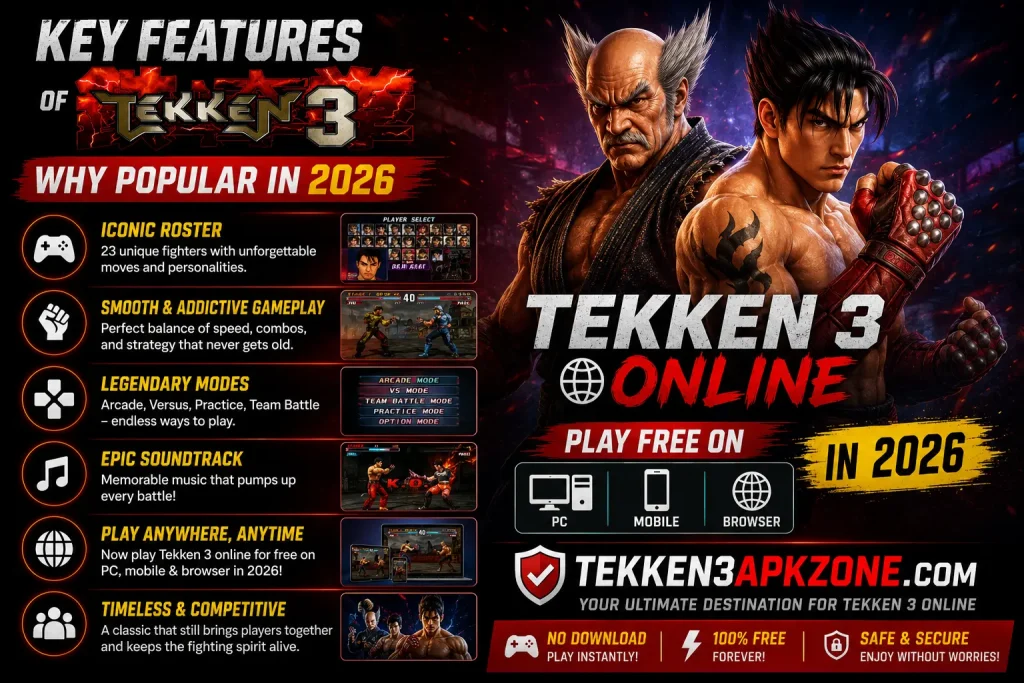
23 Characters
From Eddy Gordo’s Capoeira to King’s Lucha Libre every character plays completely differently. This variety gives Tekken 3 exceptional replay value that most modern games struggle to match.
Fluid 3D Combat Engine
The improved sidestepping system and combo-juggle mechanics created a fighting engine that competitive players still study today. Fast, responsive, and deeply satisfying.
Multiple Game Modes
Arcade, Versus, Team Battle (8v8), Survival, Time Attack, Tekken Force, and the legendary Tekken Ball mode. Single players get hours of content beyond basic versus matches.
Iconic Soundtrack
Each stage has a unique, memorable track. The Tekken 3 OST theme is still remixed and covered online in 2026, a testament to its lasting impact.
Netplay via Emulators
DuckStation’s Netplay brings real online multiplayer to Tekken 3 in 2026. With a 50 Mbps+ connection, lag is minimal and the experience rivals modern online fighters.
4K Upscaling
Play at resolutions the original PS1 never dreamed of. PGXP technology eliminates texture warping, making Tekken 3 look sharper and cleaner than ever before.
Tekken 3 Online Pros & Cons
Pros
Cons
FAQ,s about Tekken 3 Online 2026
Conclusion — Tekken 3 Online: Still a Must-Play
Nearly 30 years later, Tekken 3 refuses to be forgotten. In 2026, an era of AI-generated content, ray tracing, and cloud gaming, this 1998 classic is still being played, discussed, and loved by millions.
Whether you jump into a browser tab for a quick nostalgia hit, set up DuckStation for the full 4K experience, or challenge a friend via Netplay, the options have never been better. The fighting engine still feels incredible.
The characters are still iconic, and somewhere right now, someone is discovering Eddy Gordo’s Capoeira for the first time and having their mind completely blown. Fire up DuckStation, pick your fighter, and remember why Tekken 3 changed everything.

